Hello everyone! Today I thought I would write about a process we just spent a night grinding through, automating the update of JetBrains packages in Winget. For those that do not know JetBrains is a software vendor which mostly focuses on building and releasing tools for software developers. They have a large stack of applications, all of which are available in the Winget repository. The issue was that these packages were not being updated on a consistent basis which made them unreliable to have in the Pckgr app library, so we decided to add these packages to our Pckgr Bot.
This blog will outline how we added the JetBrains applications into our Pckgr Bot, if you are interested in Winget and software updates then this may be interesting for you 🙂
The issue
As stated above, the JetBrains packages have all been added into the Winget repository which made them available for us to add into Pckgr. The main problem was that these packages were not updated consistently or at all! We decided to take on the challenge of training Pckgr Bot to scan and update these packages when an updated version was made available.
Scanning for software updates
The first task and the main hurdle was to find a reliable way to scan the JetBrains application list to figure out when new versions were released. We wanted to find out if this information was available via an API as it is much more reliable than using Web scraping techniques. Unfortunately, after looking on the JetBrains website and performing some Google searches we were unable to find the API. Just as all hope was lost, we found the solution! This is where the PowerShell module Evergreen came in handy.
For those who do not know, Evergreen is an amazing piece of work created by Aaron Parker which supplies up to date version details for many popular software applications. We highly recommend checking this fantastic tool out.
After reviewing the supported applications, we found that many of the JetBrains applications had been added into the list (this was not previously the case). We checked the manifest on GitHub to confirm Evergreen was using an official JetBrains API to retrieve the version info.
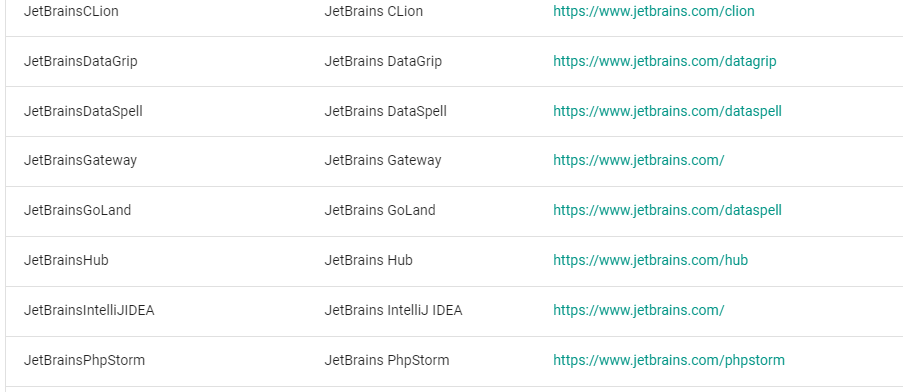
With the Evergreen module, we created the automation process for retrieving the version number for most JetBrains applications. This was a massive win!
A new complication arises
We were ready to update the Winget packages once we automated the version information, but we ran into a problem right away. Many of the JetBrains programs needed something called a ‘Display Version’ as part of their setup in Winget’s Apps and Features. This helps Winget check if the program is already installed. We found out that the JetBrains applications had a ‘build number’ that was used as the Display Version. Luckily, we could get these numbers from the Evergreen PowerShell module.

Using a touch of AI to help with the dynamic element of the manifests
To ensure the Display Versions and Product codes were being updated where needed, we ensured that each new manifest was being processed by our AI using Adapt. The AI was instructed to check the manifest of an earlier version and then update the new manifest accordingly with the information provided. Now that we had set everything up, we started scanning for new updates. It turned out that most of the applications required one. To make sure the automation was on track, we manually rolled out each update and double-checked that the manifest format was correct.
Summary
Except for some JetBrains applications that weren’t in the API, we managed to include most applications in our automation process. Now, we can add them to Pckgr with confidence, knowing that updates will be automatically applied as soon as they’re available.
It would be ideal if JetBrains could handle the Winget applications themselves in the future. That way, they could seamlessly incorporate updates into their own pipelines and ensure that all JetBrains applications are consistently updated.
 Pckgr Blog
Leave a comment