
In todays blog we have something a little different to share. We have just launched Wingetly, a free community resource that lets you search and bundle apps from the Microsoft Windows Package Manager (Winget) catalog right inside a web browser. If you have ever tried to find a specific app in the Winget repository, or wanted a quick way to build out a list of installs for a fresh device, you will know it can be slow going. Wingetly is our attempt to fix that, and it is live right now at wingetly.io.
Why we built it
If you have spent any time with Winget, you will know the CLI is great once you have the exact package ID. Run winget install --id Mozilla.Firefox --exact and you are done. But discovering what is actually in the catalog is a different story. The winget search command returns limited results, the GitHub repository has over 12,000 manifests buried in deeply nested folders, and there is no easy way to filter by publisher, installer type, or category.
When a customer wants to request an app in Pckgr that’s available in Winget, we wanted to give them a way to browse the catalog visually, find what they need, and copy the ID. So we built Wingetly to give the catalog a proper search experience, plus a few extras we think IT admins will appreciate.
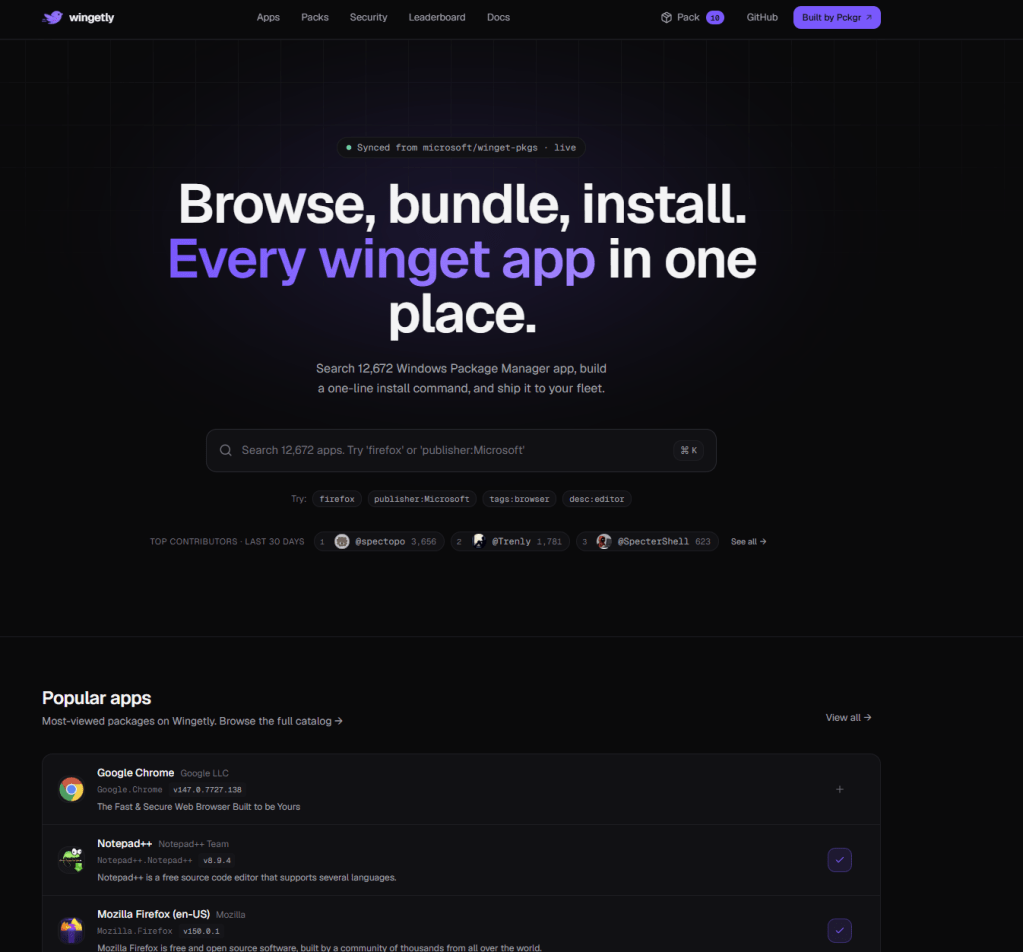
Searching the catalog
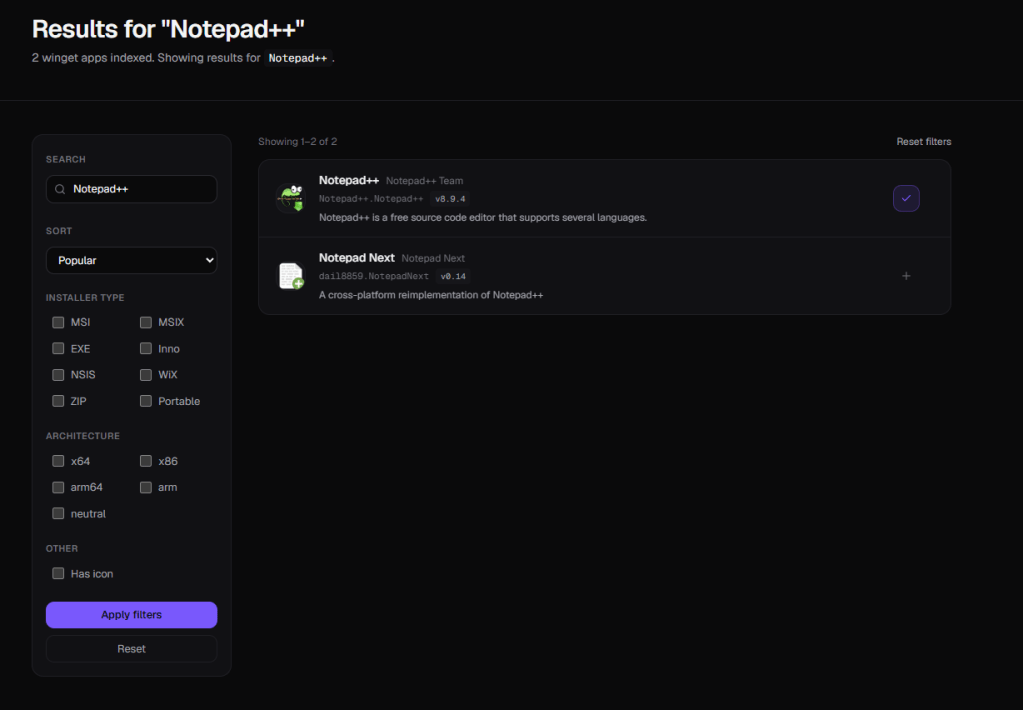
The site indexes all 12,670 packages from the public microsoft/winget-pkgs repo and refreshes hourly on weekdays. The search box accepts plain text, or a field:value prefix. So publisher:Microsoft returns only Microsoft published apps, tags:browser filters to anything tagged as a browser in the manifest, and desc:editor searches inside the package descriptions. From the All apps view you can also narrow by installer type (MSI, MSIX, EXE, or Portable) and by architecture.
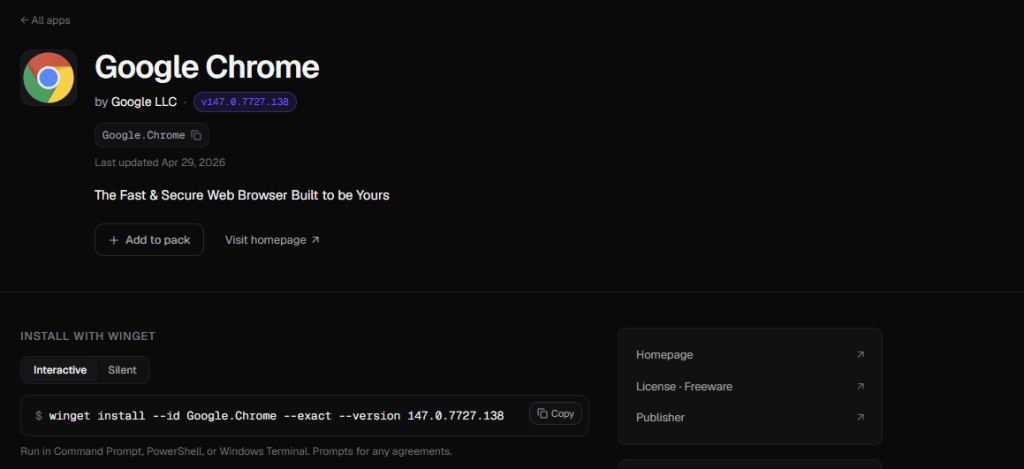
One-line install commands
Every app has its own detail page with the package identity, a short description, the latest version, and a copy-paste install command. There is also a silent variant suitable for scripted deployments, ready to drop into PowerShell or a remote management tool. No account, no login, and no paywall.
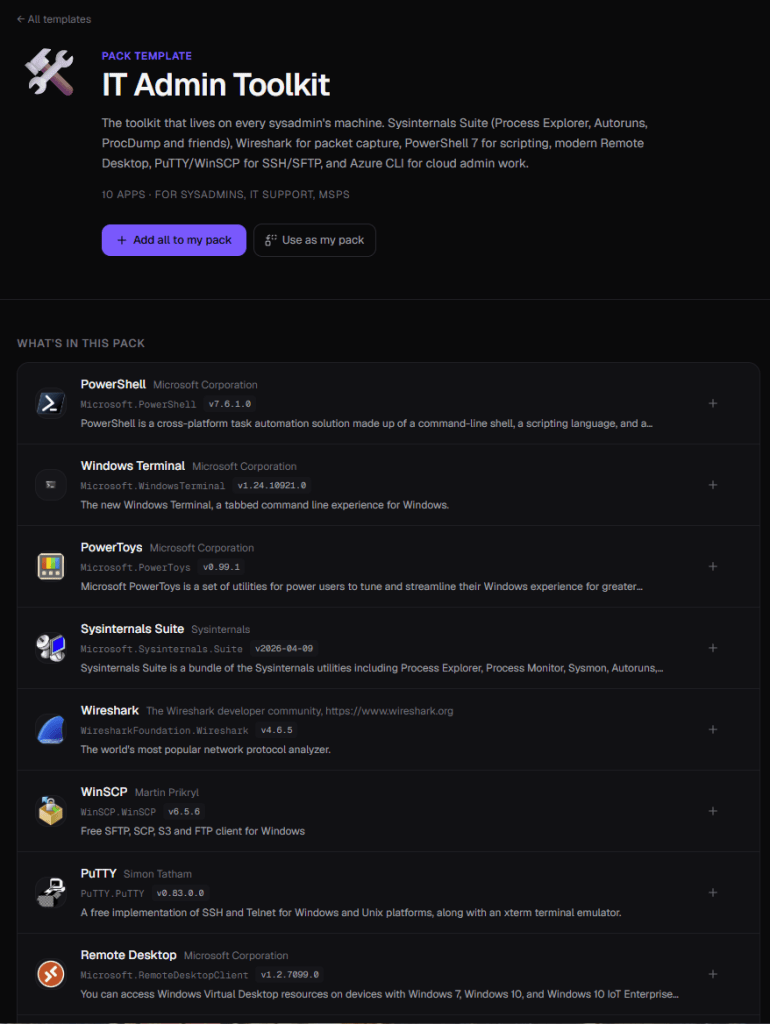
Install packs and templates
This is the feature we are most pleased with. Click Add to pack on any app, then open the Packs page to either copy a one-line Winget command that installs every app in the pack, or download a silent .ps1 deploy script. You can also share a link that pre-loads the same pack for a colleague. We have published 13 ready-made templates as well, including a Fresh Windows Install pack, a Developer Starter, an IT Admin Toolkit, and a Gamer Setup. Packs are stored in your browser, not on a server, so nothing leaves your machine.
Tracking CVEs in Winget apps
The Security page lists known CVEs for any Winget package with a confirmed NVD identity. You can browse recent advisories, filter by critical severity, or jump straight to the most affected packages. The data is sourced directly from the National Vulnerability Database and refreshes hourly. It is a quick way to spot which apps in your fleet might need attention before you next push updates.
Final notes
Wingetly is a community project. We built it because we needed it ourselves, and we are happy to put it out there for free. The catalog is sourced directly from the public microsoft/winget-pkgs repository, so package contents, names, and versions all match whatever has been merged upstream.
If you find yourself repackaging Winget apps for Microsoft Intune over and over, that is exactly the problem Pckgr solves. We keep over 1,000 Windows apps continuously up to date in your Intune tenant by re-packaging each new version as a Win32 .intunewin and pushing it through Microsoft Graph. Your only job is to assign once.
Head over to wingetly.io and have a play, and if you would like to see Pckgr in action visit http://intunepckgr.com.
 Pckgr Blog
Leave a comment